Organising Monthly Expenses With A Bill Payment App
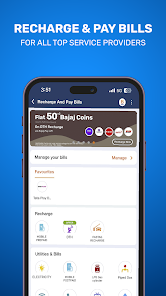
A bill payment app can help users manage recurring expenses such as electricity, mobile, broadband, gas, insurance and other eligible payments from one digital interface. Its real value, however, is not simply faster payment. Used carefully, it can help create a more organised monthly payment routine.
Users who also consider an instant loan app should keep borrowing decisions separate from routine bill management. Credit creates an additional repayment obligation, while a bill payment app primarily helps organise and complete existing financial commitments.
A better way to use such an app is to treat it as a monthly financial dashboard: know what is due, reserve money in advance, verify each bill and retain proof after payment.
Build A Monthly Payment Map
Rather than remembering bills individually, users can group recurring expenses into a monthly schedule.
The list may include:
- Electricity
- Water
- Gas
- Mobile
- Broadband
- DTH
- Insurance premiums
- Credit card bills
- Loan EMIs
- Subscription services
This gives a clearer view of how many payments need attention each month.
Group Bills By Due-Date Window
A useful approach is to divide bills into broad periods.
For example:
- Beginning of the month
- Middle of the month
- End of the month
This makes it easier to anticipate which payments are approaching.
Due Dates Should Not Become Payment Deadlines
Waiting until the final day can create unnecessary pressure if:
- The bank system is unavailable
- Payment processing is delayed
- The internet connection fails
- The transaction remains pending
Paying with a small time buffer can reduce these problems.
Use The App To Understand Recurring Outflow
Monthly bill history can reveal how much of household income is committed before discretionary spending begins.
Users can review recurring expenses such as:
- Utilities
- Telecom services
- Subscriptions
- Insurance
- Debt payments
This creates a clearer picture of fixed financial commitments.
Watch For Changes In Variable Bills
Some bills remain relatively predictable, while others change with usage.
Electricity, gas and certain telecom bills may vary significantly from one month to another.
Sudden Increases Deserve A Check
A higher bill may result from:
- Increased consumption
- Tariff changes
- Added services
- Previous adjustments
- Billing errors
Comparing current and previous amounts can help identify unusual changes before payment.
Save Billers, But Verify Them
A bill payment app may allow users to save customer IDs or accounts for regular billers.
This makes future payments faster.
However, users should still verify:
- Provider name
- Customer number
- Account reference
- Amount due
- Stored Information Can Become Outdated
If a service connection changes or an account is replaced, previously saved details may no longer be correct.
Periodic review prevents accidental payments to an old account.
Make Notifications Work For You
Payment apps may send reminders when a bill approaches its due date.
Useful reminders can help with:
- Utility payments
- Insurance renewals
- Credit card dues
- Other recurring obligations
- Too Many Alerts Can Reduce Attention
If every notification is treated equally, important reminders can get lost.
Users may want to prioritise alerts associated with payments that carry penalties or other consequences when delayed.
Reserve Bill Money Before Spending Elsewhere
A practical monthly habit is to estimate recurring bills soon after income arrives and keep that amount aside.
This can help prevent bill money from being used for discretionary expenses.
For example, monthly income may be mentally divided into:
- Essential bills
- Savings
- Debt payments
- Everyday spending
- Optional expenses
This makes the payment app part of a larger budgeting routine.
Autopay Can Help, But It Still Needs Oversight
Automatic payment can reduce missed due dates for eligible bills.
Before enabling it, users should understand:
- Debit date
- Maximum authorised amount
- Linked account
- Cancellation process
- Always Maintain Sufficient Balance
Autopay can fail if the bank account has insufficient funds.
Users should monitor upcoming debits even when payments are automated.
Confirm The Amount Before Paying
Digital payment flows can be quick, which increases the importance of the final review screen.
Users should confirm:
- Amount
- Biller
- Customer reference
- Payment account
- Avoid Rushing Through Repeated Payments
Regular billers can feel familiar, making users less attentive.
A quick verification can still prevent duplicate or incorrect transactions.
Pending Payments Need Patience
A transaction can occasionally remain pending because confirmation between systems is delayed.
The correct next step is usually to verify the status before attempting another payment.
Repeating Too Quickly Can Create Duplicate Payments
If the first transaction later succeeds, a second attempt may result in paying the same bill twice.
Users can review:
- App transaction history
- Bank debit
- Biller status
before retrying.
Failed Payments Need A Different Response
If the payment is marked failed, the user should first check whether money was deducted.
If no debit occurred, the transaction may be attempted again after the issue is resolved.
If the account was debited, retain the transaction information and monitor the reversal or payment update according to the applicable process.
Keep Transaction References
Every completed payment usually generates a reference number or transaction ID.
This can be useful if:
- The biller does not show the payment
- A payment is disputed
- A refund is expected
- Customer support needs transaction details
- Save Important Receipts Until The Bill Updates
For high-value or important payments, it may be useful to retain the receipt until the next statement confirms that the amount was credited correctly.
Use Bill History To Find Unused Services
Recurring payments can continue for services that are rarely used.
Examples may include:
- Streaming subscriptions
- Software plans
- Memberships
- Cloud storage
A periodic review can highlight payments that no longer provide enough value.
Small Charges Can Become A Large Annual Cost
A ₹300 monthly subscription may appear minor, but over a year it becomes a more meaningful expense.
Looking at the annual impact can make cancellation decisions easier.
Pay Special Attention To Credit Card Bills
Credit card bills differ from ordinary utility bills because unpaid balances can lead to interest and other applicable charges.
Users should distinguish between:
- Total amount due
- Minimum amount due
- Minimum Due Is Not The Same As Full Repayment
Paying only the minimum may keep a portion of the balance outstanding, subject to applicable card terms.
Users should understand the statement before making payment.
Review EMI And Loan Payments Separately
Loan repayments should be monitored carefully because delays can have consequences beyond a normal service bill.
Users may track:
- EMI amount
- Due date
- Debit status
- Outstanding loan balance
- Avoid Depending On Last-Minute Transfers
Keeping enough funds in the repayment account before the EMI date can reduce the chance of a failed debit.
Use Payment History As A Budgeting Record
A bill payment app can provide a useful monthly record of regular expenses.
At the end of the month, users can examine:
- Total utility spending
- Subscription costs
- Credit payments
- Loan repayments
- Changes from the previous month
This turns payment history into a budgeting tool rather than merely a transaction list.
Protect The Device Used For Payments
Account security begins with the device itself.
Useful practices include:
- Screen lock
- Biometric authentication
- Updated operating system
- Official app downloads
- Avoiding unknown software
- Keep Authentication Details Private
Users should never disclose:
- OTP
- UPI PIN
- Card PIN
- Banking password
- CVV
Unexpected requests for these credentials should be treated cautiously.
Be Careful With Payment Links
Fraudulent messages may claim that a bill is overdue and direct users to an unfamiliar payment page.
A safer approach is to open the official app or biller website independently rather than using unsolicited links.
Verify The Biller Inside The App
If a message creates urgency, users should check the actual bill status through a trusted channel before paying.
Do Not Use Borrowing As A Default Bill Strategy
If routine bills regularly exceed available income, taking repeated loans may only postpone the problem.
It may be more useful to review:
- Subscription expenses
- Household usage
- Credit card spending
- Existing EMIs
- Other recurring costs
- Identify The Cash-Flow Gap
A one-time emergency is different from a recurring monthly shortfall.
Repeated borrowing for basic bills can indicate that expenses need restructuring.
Create A Monthly Closing Routine
After the final major bill of the month is paid, users can take a few minutes to review:
- Any pending transactions
- Unexpected bill increases
- Duplicate payments
- Failed debits
- Upcoming renewals
This provides a clean starting point for the next month.
Conclusion
A bill payment app can do more than speed up routine transactions. Used thoughtfully, it can help users organise due dates, monitor recurring expenses, retain payment records and identify changes in household spending.
A loan app may provide borrowing options for eligible users, but loans should not become the default solution for recurring bill shortages. Interest, fees and future repayment obligations should be considered separately before taking credit.
The strongest bill-payment routine combines digital convenience with budgeting, verification and regular review of monthly expenses.